How to Shop on LocallyGrown.net
Your guide to buying fresh, local food from your community farmers
Welcome to Local Food Shopping!
LocallyGrown.net makes it easy to buy fresh, seasonal food directly from local farmers and producers. No more rushing to farmers markets or worrying about your favorite items selling out!
🕒 Shop Anytime
Order online 24/7 during ordering windows, no need to wake up early for market day
✅ Guaranteed Availability
Reserve the products you want - no more arriving to find everything sold out
🌱 Know Your Farmers
Learn about the people growing your food and their farming practices
📦 Convenient Pickup
Grab your pre-packed order at a convenient time and location
How It Works
Find Your Local Market
Visit our markets page to find LocallyGrown.net markets in your area. It shows every active market on a map, and you can type your town, city, or state into the search box to see which markets serve your area. Click a market to open its site and sign up. Don't see one nearby? Email [email protected] — or start a market for your community.
Create an Account
Sign up for a free account to start shopping. You'll need to provide basic contact and payment information.
Browse & Shop
During ordering windows (usually early in the week), browse products and add items to your basket.
Checkout & Pay
Complete your order and pay online. Your payment is processed immediately.
Pick Up Your Order
Collect your fresh, local products at the designated pickup location and time.
Getting Started with Your First Visit
Finding Your Way Around
New to LocallyGrown.net? The market page keeps things simple: products up front, categories and search close at hand, and your basket a click away. If you get stuck, look for the help menu (marked with a "?" icon) or ask your market's manager — they're happy to help.
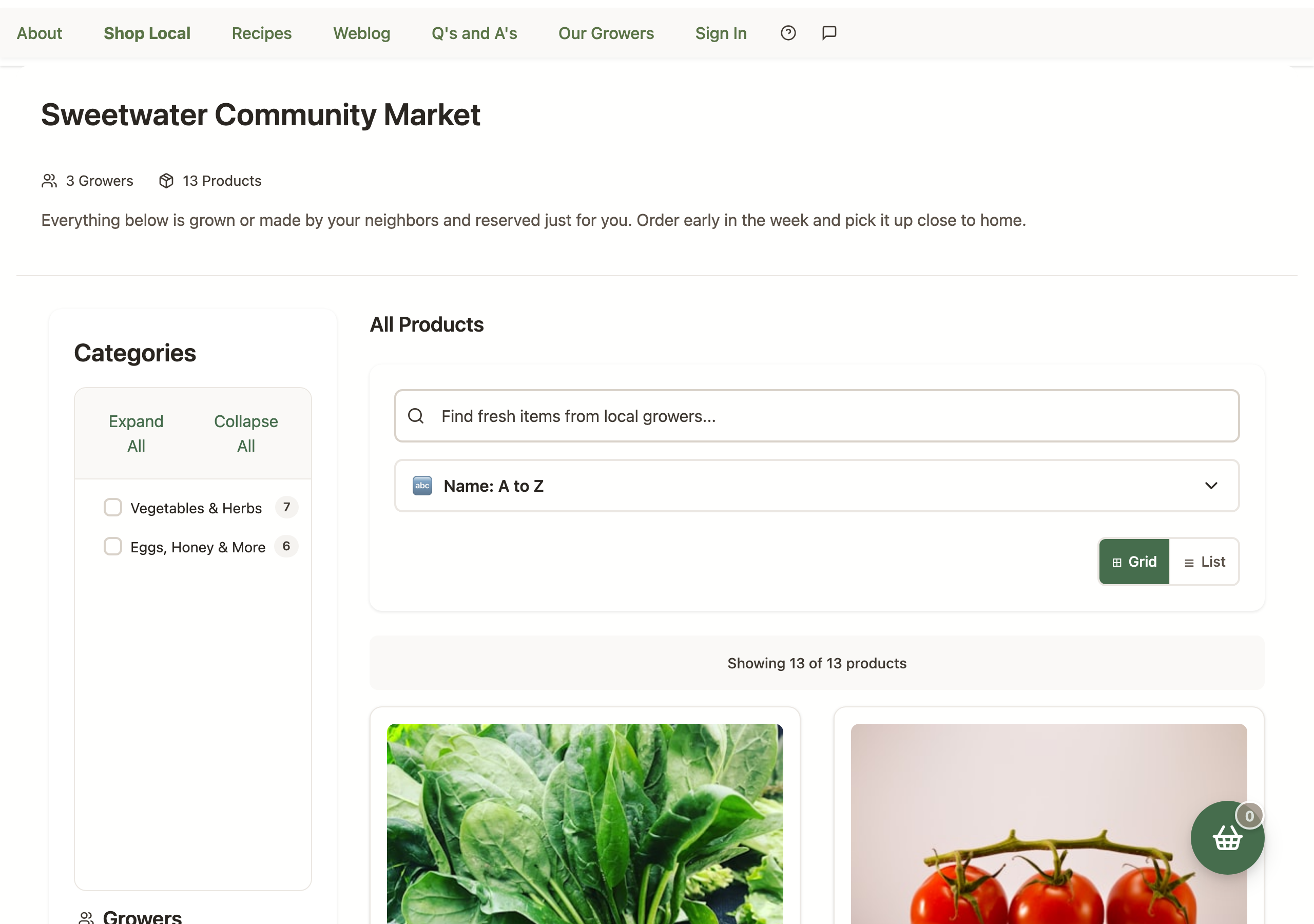
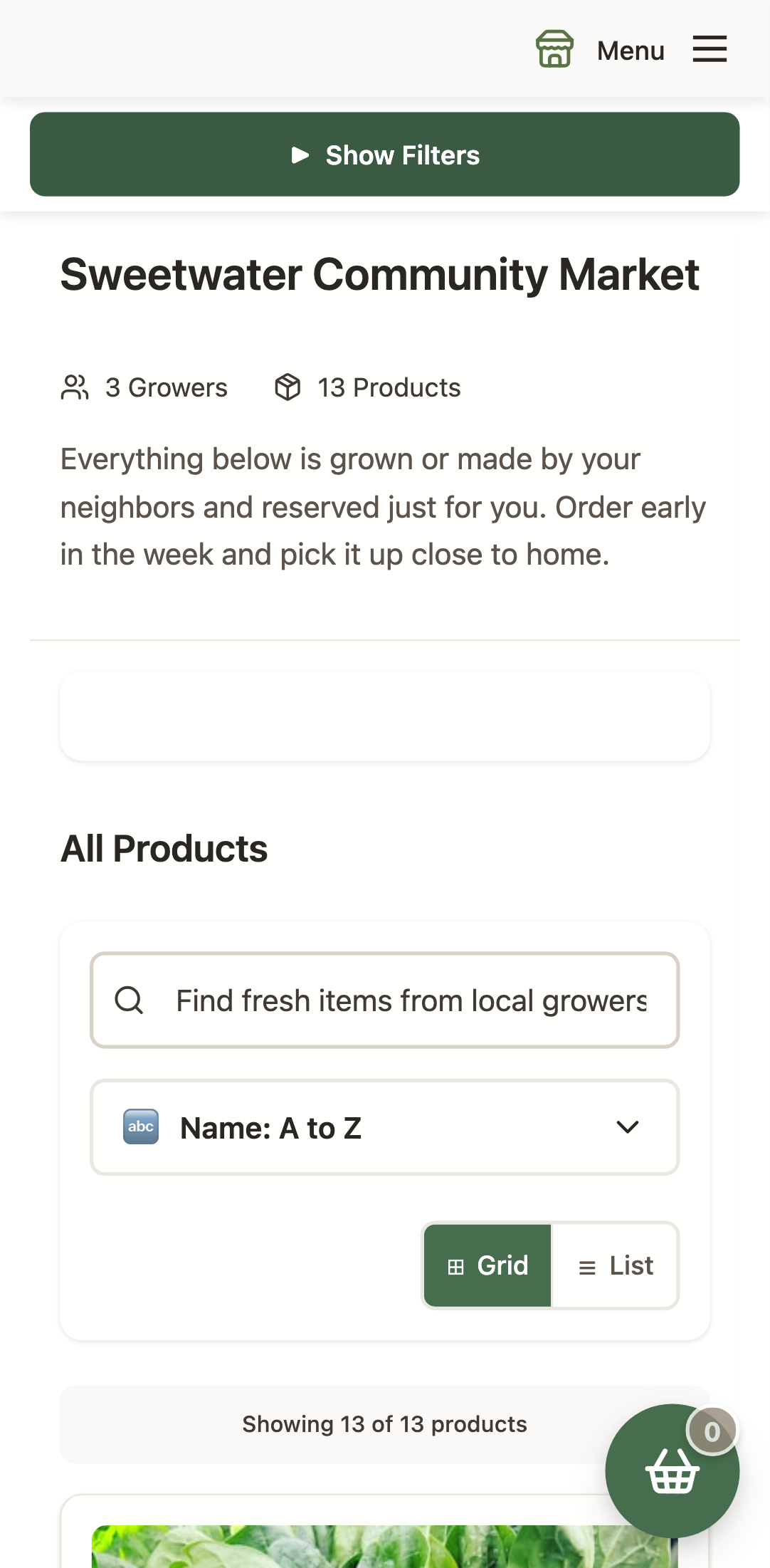
Browsing Products Made Easy
- Infinite Scroll: Products load automatically as you scroll down - no need to click "next page" buttons
- Smart Filtering: Use category filters and grower filters to find exactly what you're looking for
- Sort Your Way: The sort control offers Featured, Newest First, Recently Updated, price, name, and in-stock-first orderings. Recently Updated surfaces the listings growers have most recently tended — and unlike the other sorts, it doesn't move in-stock items to the front
- Instant Search: Start typing in the search box and see results appear immediately
- Mobile-Optimized: The experience works seamlessly on your phone or tablet
Choose Your View: Grid or List
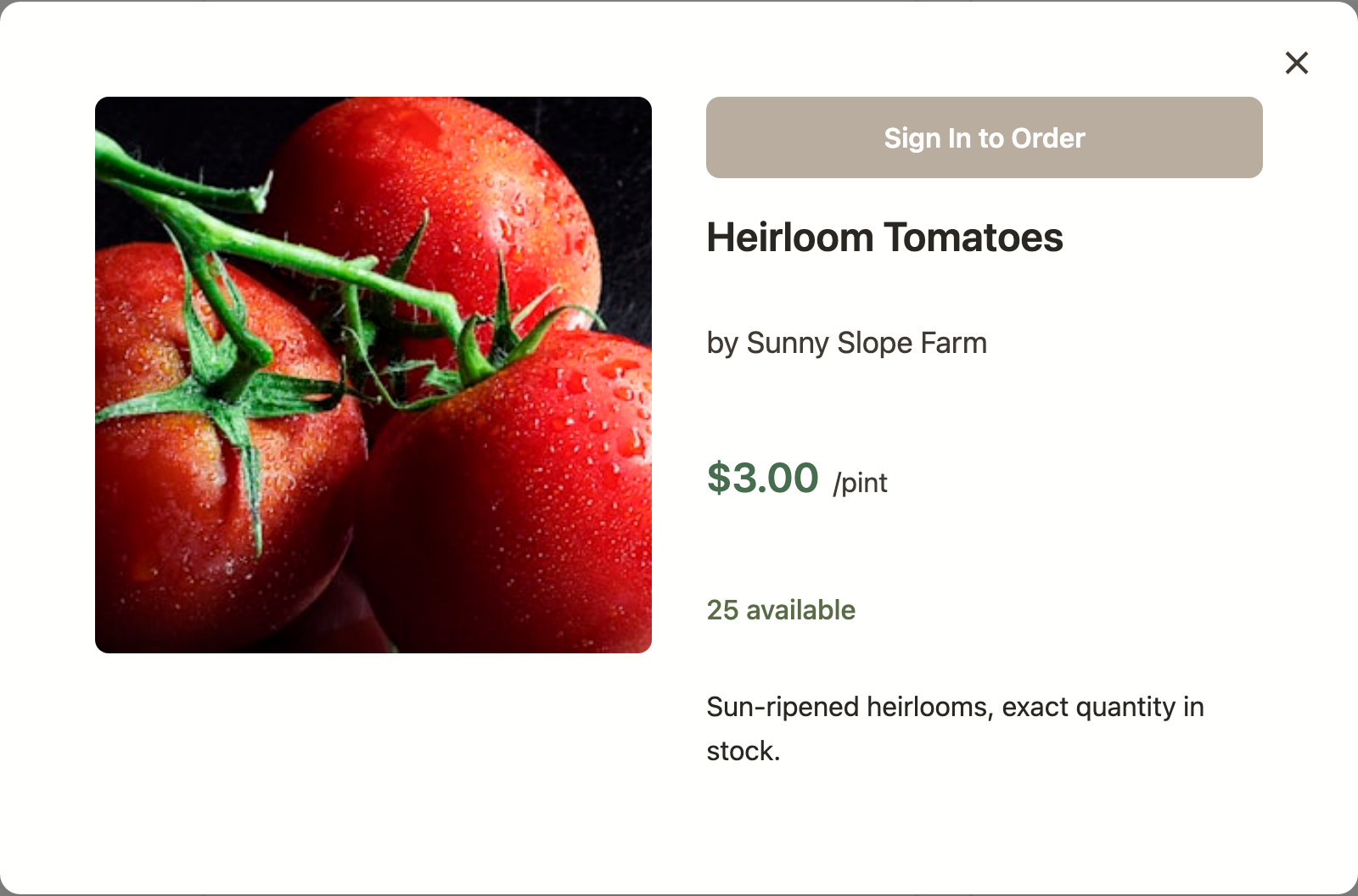
Just under the sort control on the market page you'll find a small ⊞ Grid / ☰ List toggle. Grid is the classic card layout with big photos — great for discovering what's new. The compact list view shows one slim row per product — a small thumbnail, the product name, the grower, the price, stock status, and a quantity picker and Add to Order button (or a "Sign In to Order" link if you're not logged in) — perfect when you already know what you want.
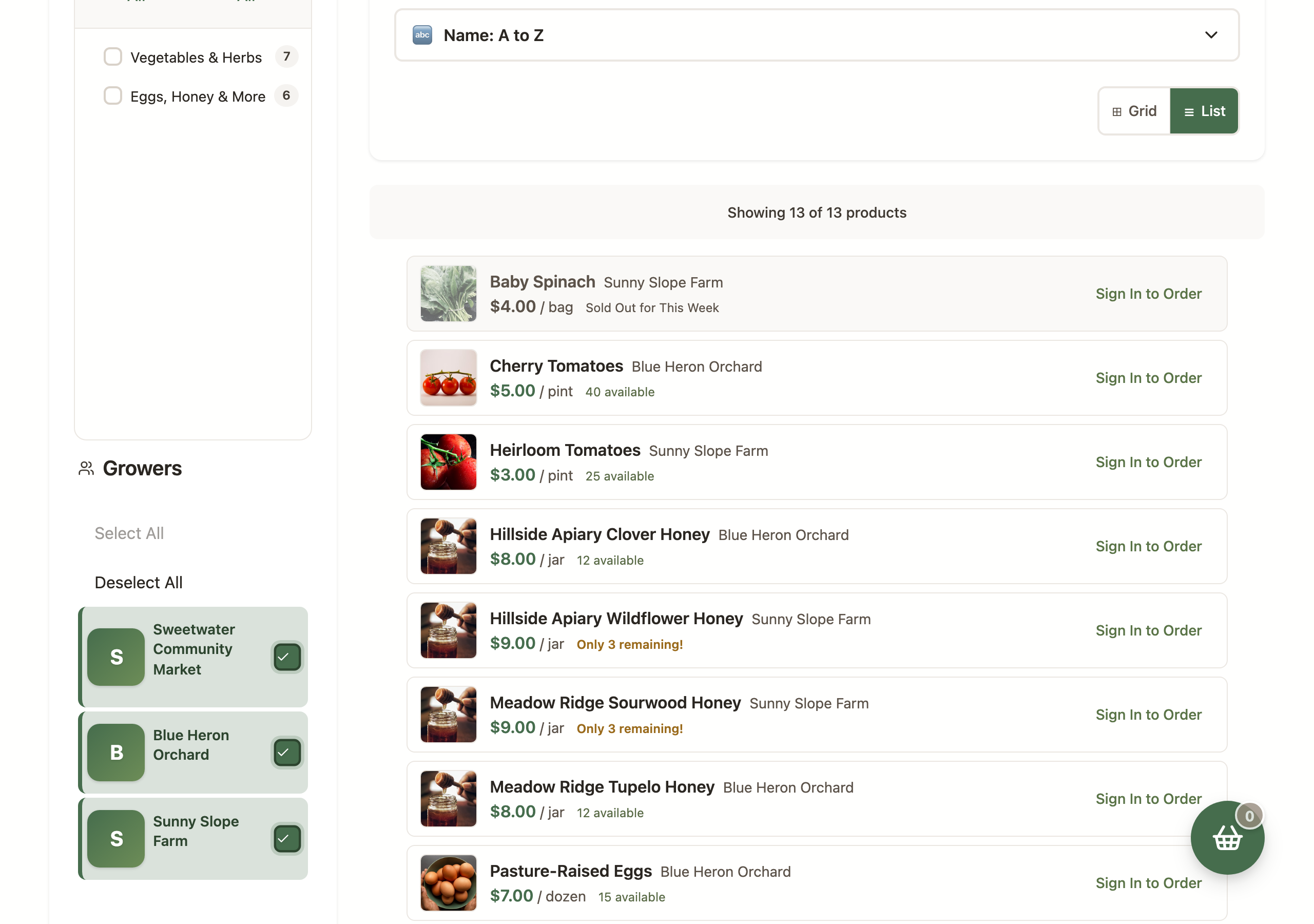
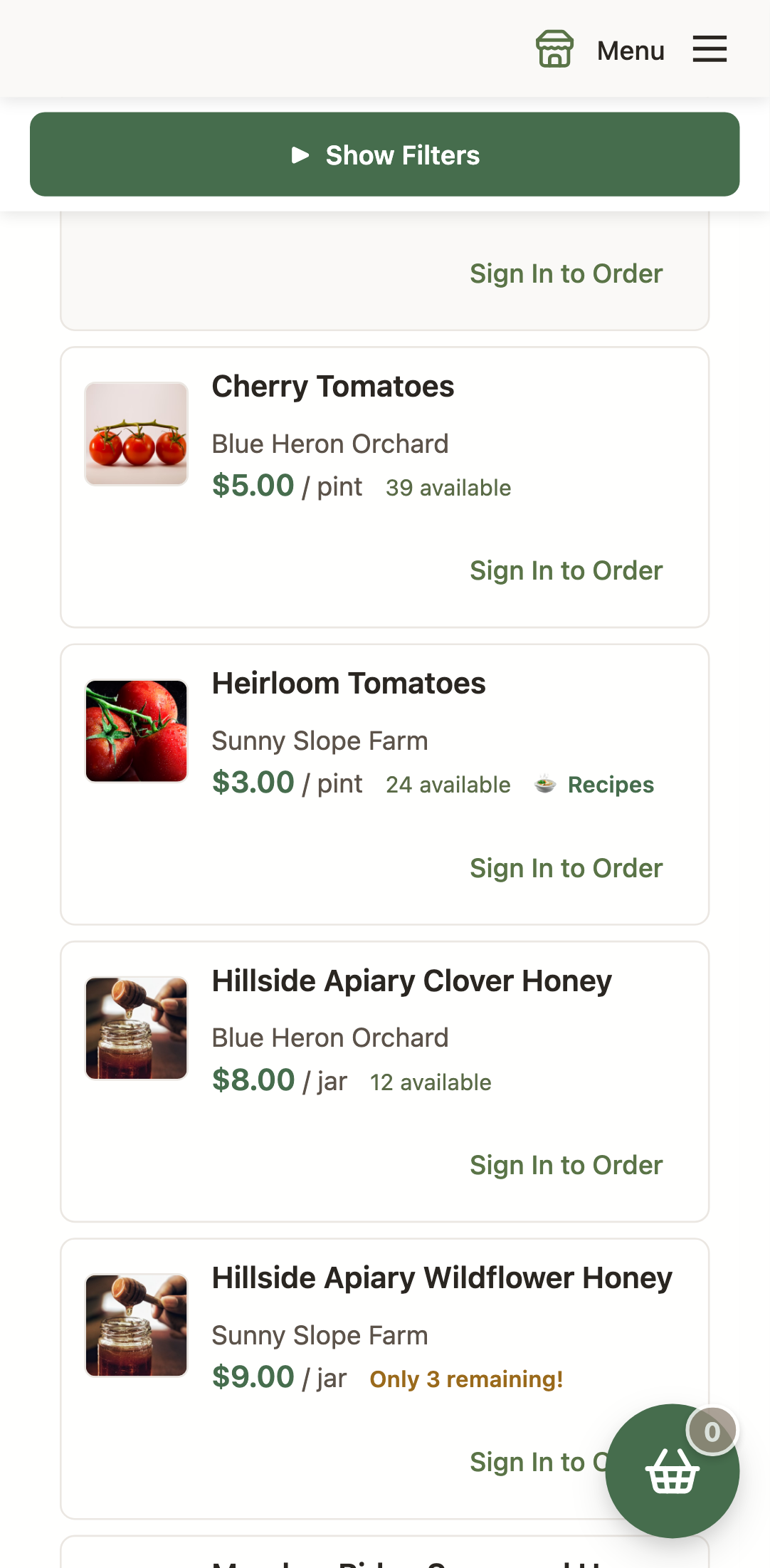
- Full details are one click away: Click a product's name or thumbnail in the list to open the full view with the photo and complete description.
- Your choice sticks: Each market remembers which view you picked on this device — even when you're not signed in.
- Featured and New products stay as cards: The showcase carousels at the top of the page always display cards, whichever view you choose.
- You won't lose your place: Switching views keeps the page anchored to the product you were looking at.
Shopping Tips
Understanding Ordering Cycles
Most markets operate on weekly cycles:
- Monday-Wednesday: Ordering window is open
- Thursday-Friday: Farmers harvest and prepare orders
- Saturday: Pickup day (times vary by market)
Reading Product Listings
- Photos: See what you're buying before you order
- Descriptions: Learn about varieties, growing methods, and serving suggestions
- Grower Info: Click on grower names to learn about their farm
- Availability: Green means available, red means sold out
Payment Options
- Credit/Debit Cards: Secure online payment processing
- Shopper Account Balance: Pre-pay for faster checkout
- Market-specific options: Some markets may accept EBT/SNAP
Managing Your Basket
- Instant Add to Basket: Click "Add to Basket" and items are added immediately - no page reload required
- Live Basket Counter: See your basket count update in real-time as you add items
- View basket contents: See all items with individual prices and totals
- Remove items: Each item has a remove button for easy basket management
- Update quantities: Change item quantities directly in your basket
- Save for later: Items remain in your basket until you check out
What to Expect
Product Variations
Local, seasonal food is different from grocery store produce:
- Size variations: Natural products come in different sizes
- Seasonal availability: Products are only available when in season
- Weather impacts: Bad weather can affect harvests
- Limited quantities: Popular items may sell out quickly
Pickup Experience
- Designated times: Most markets have specific pickup windows
- Pre-packed orders: Your items will be ready and labeled
- Market atmosphere: Often includes other vendors and community activities
- Meet the farmers: Many growers attend pickup to answer questions
Making the Most of Your Membership
Try New Things
- Experiment with vegetables you've never tried
- Ask growers for preparation suggestions
- Join market social media groups for recipe ideas
- Attend special events and farm tours
Build Relationships
- Get to know your farmers - they love talking about their products
- Provide feedback to help growers improve
- Share your experience with friends and family
- Support the farmers by ordering regularly
Seasonal Eating
- Embrace what's in season - it's fresher and cheaper
- Preserve the harvest - freeze, can, or dehydrate excess produce
- Plan meals around what's available
- Learn about local growing seasons
Troubleshooting
Common Issues
Contact your market manager as soon as possible. Some markets allow pickup by friends/family or may hold orders briefly.
Report issues immediately to your market manager. Most quality problems are resolved quickly and fairly.
This depends on your market's policy and timing. Contact your market manager - changes are often possible if caught early.
Check your email confirmation or contact the market manager. Many markets are flexible with pickup times.